
Full Stack Developer Readiness Quiz
Are You Ready to Code?
This interactive quiz tests your knowledge on the fundamentals of becoming a Full Stack Developer, covering frontend, backend, databases, and career advice.
Think you need a computer science degree or years of coding experience to break into tech? Think again. The path to becoming a full stack developer is open to anyone willing to put in the work, regardless of their background. You don't need to know how to compile kernels or design microprocessors on day one. What you do need is a clear roadmap, consistent practice, and the right mix of tools. Most successful developers started exactly where you are now: confused by jargon, unsure where to begin, and wondering if they're smart enough to pull it off. Spoiler alert: they were.
The Real Meaning of Full Stack
Before you write your first line of code, let's clear up the confusion around what this role actually entails. A full stack developer isn't someone who knows everything about computers. It’s a role that covers both the parts users see and the parts they don’t. On one side, you have the frontend, which is the visual interface built with HTML, CSS, and JavaScript. On the other, you have the backend, the server-side logic handling data storage, user authentication, and business rules using languages like Python, Java, or Node.js. Then there’s the database layer, where information lives safely until it’s needed.
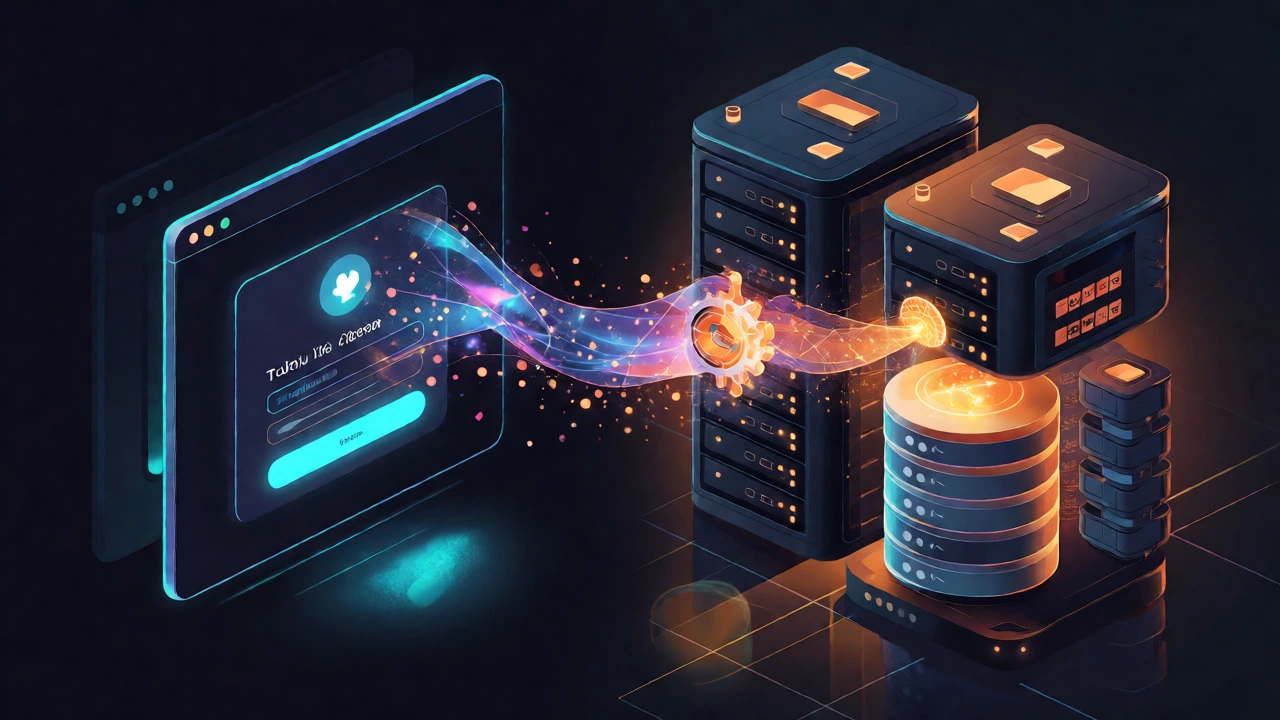
You might wonder, "Do I really need to master all of this?" Not immediately. The goal isn't to become an expert in every language overnight. It’s about understanding how these pieces fit together. When you build a simple feature, like a login button, you need to style it (frontend), send the credentials to a server (backend), check them against a database (database), and return a success message (frontend). Seeing this flow clearly is the core skill. If you can trace that path, you’re already thinking like a full stack developer.
Choosing Your Tech Stack Wisely
One of the biggest mistakes beginners make is trying to learn too many technologies at once. You’ll hear people argue endlessly about whether React is better than Vue, or if PostgreSQL beats MySQL. Here’s the truth: for a beginner with no experience, the specific tool matters less than the concept behind it. Pick one popular stack and stick with it for at least six months. The MERN stack (MongoDB, Express, React, Node.js) is a solid choice because it uses JavaScript everywhere. This means you only need to learn one language’s syntax deeply, rather than switching contexts constantly between Python for the backend and JavaScript for the frontend.
If you prefer structure over flexibility, the LAMP stack (Linux, Apache, MySQL, PHP) remains a powerful option, especially for freelance work and WordPress sites. But for modern job markets in places like Dublin or London, JavaScript-based stacks often offer more entry-level opportunities. Don’t get paralyzed by analysis. Pick one, commit to it, and move forward. Switching stacks later is easy; starting from scratch because you quit halfway through is hard.
Mastering the Frontend Basics
Your journey starts with the visible part of the web. Forget complex frameworks for now. Start with raw HTML and CSS. Learn how to structure content semantically-using tags like `
Once you’re comfortable making static pages look good, introduce JavaScript. This is where things get interesting. JavaScript brings interactivity. It handles clicks, form submissions, and dynamic content updates without reloading the page. Focus on vanilla JavaScript first-the version without libraries. Learn variables, functions, loops, and DOM manipulation. If you understand how to select an element and change its text using plain JS, you’ll find learning React or Angular much easier later. Many tutorials skip this step, but skipping fundamentals leads to shaky foundations that collapse when projects get complex.
Diving Into Backend Logic
Now that your site looks nice, it needs brains. This is where the backend comes in. Since we chose JavaScript earlier, you’ll likely use Node.js to run JavaScript outside the browser. Node allows you to create servers that handle requests. Start by setting up a basic server that listens on a port and responds to HTTP requests. Then, add routes. For example, when a user visits `/about`, your server sends back specific data.
Next, connect your server to a database. Whether you choose MongoDB (a NoSQL document store) or PostgreSQL (a relational SQL database), the concepts are similar. You need to perform CRUD operations: Create, Read, Update, and Delete records. Practice writing queries to save user profiles, fetch product lists, or update order statuses. Understanding how data moves from the database to your API endpoint, and then to your frontend, is critical. This connection is the heart of full stack development.
Building Real Projects, Not Tutorials
Watching videos feels productive, but it’s passive. To truly learn, you must build. Stop following step-by-step tutorials where someone else writes the code. Instead, build small, complete applications. Here’s a progression that works well:
- To-Do List App: Add tasks, mark them as done, delete them. Save data locally first, then try saving it to a database.
- Weather Dashboard: Fetch data from a public API, display it dynamically, and handle errors if the internet cuts out.
- Blog Platform: Allow users to sign up, log in, write posts, and comment. This introduces authentication and relationships between data tables.
Each project should force you to solve new problems. When your blog breaks because two users have the same email address, you learn about unique constraints. When your weather app fails to load images, you learn about CORS issues. These struggles are valuable. They teach you debugging skills that no tutorial can simulate. Employers care far more about seeing three broken-and-fixed projects than ten perfect clones of existing websites.
Version Control and Deployment
You cannot be a professional developer without knowing Git. Git tracks changes in your code, allowing you to revert mistakes and collaborate with others. Learn the basics: `git init`, `git add`, `git commit`, and `git push`. Create a profile on GitHub and upload every project you build. This becomes your portfolio. A recruiter won’t read your resume closely if they can’t click a link and see your code.
Then, deploy your apps. Localhost is fine for testing, but real users visit live URLs. Use free tiers from platforms like Vercel for frontends and Render or Heroku for backends. Deploying teaches you about environment variables, domain settings, and build processes. It also proves you can take an idea from concept to production, a key responsibility of any developer.
Navigating the Job Market Without Experience
So, you’ve learned the skills and built the projects. How do you get hired when you have zero formal experience? First, optimize your online presence. Your GitHub profile should show green contribution squares-proof you code regularly. Write clean README files for each project, explaining what it does, the tech used, and how to run it. Second, network. Attend local meetups in Dublin or join online communities like Dev.to or Reddit’s r/webdev. Share your progress. Ask questions. People hire those they trust, and visibility builds trust.
Consider freelancing or contributing to open source to gain "experience." Even unpaid contributions count if they involve real code reviews. Look for junior roles or internships that value potential over perfection. Tailor your resume to highlight projects and skills, not just education. If you’re self-taught, emphasize your discipline and ability to learn independently. Companies increasingly value problem-solving ability over pedigree. Show them you can solve problems by showing them your code.
| Aspect | Frontend Focus | Backend Focus |
|---|---|---|
| Primary Goal | User Interface & Experience | Data Management & Logic |
| Key Languages | HTML, CSS, JavaScript | Python, Java, Node.js, Go |
| Tools | React, Vue, Webpack | Express, Django, Spring |
| Data Handling | Displaying & Inputting Data | Storing & Processing Data |
How long does it take to become a full stack developer?
For most people studying consistently, it takes 6 to 12 months to reach an employable level. This assumes 15-20 hours per week of focused study and project building. Speed varies based on prior technical exposure and learning style, but consistency beats intensity. Trying to cram in two weeks usually leads to burnout, while steady weekly progress builds lasting competence.
Do I need a degree to become a full stack developer?
No, a degree is not mandatory. Many companies prioritize practical skills and portfolios over formal education. Bootcamps and self-study paths are widely accepted if you can demonstrate proficiency through projects and coding tests. However, some large corporations may still filter candidates by degree, so target startups and mid-sized firms initially, where skills matter more than credentials.
Which programming language should I learn first?
Start with JavaScript. It is essential for frontend development and, via Node.js, widely used for backend services. Learning one language across the entire stack reduces cognitive load. Once you grasp JavaScript fundamentals, picking up Python or Java later becomes significantly easier because the logical structures remain similar.
Is math required for full stack development?
Basic arithmetic and logical reasoning are sufficient for most web development tasks. You rarely need advanced calculus or linear algebra unless working on specialized fields like machine learning integration or graphics rendering. Problem-solving logic is far more important than mathematical theory in typical full stack roles.
What is the best way to stay updated with new technologies?
Follow reputable blogs, subscribe to newsletters like JavaScript Weekly, and participate in community forums. Avoid chasing every new framework release. Instead, focus on understanding underlying principles. New tools often wrap existing concepts. If you understand APIs and asynchronous programming, learning a new library is just a matter of reading documentation, not relearning programming.