
Wix SEO Readiness Checker
Answer these questions about your current Wix setup to see how well you are positioned for Google rankings.
Needs Improvement
Analysis Summary
Remember the old stories? Back in 2015, developers used to laugh at Wix, calling it a black hole for search engine visibility. The code was messy, the URLs were ugly, and Google struggled to index pages properly. But that was over a decade ago. In 2026, the landscape has shifted dramatically. If you are a web developer or a business owner looking to build a site quickly, you need to know the truth: Is Wix actually okay for SEO today?
The short answer is yes. For most small businesses, portfolios, and even mid-sized e-commerce stores, Wix is more than capable of ranking well. However, "okay" doesn't mean "perfect." There are still limitations that matter if you plan to scale to millions of pages or require granular control over every HTML tag. Let’s break down exactly where Wix shines, where it stumbles, and how you can optimize it like a pro.
How Search Engines See Wix Sites Today
To understand if a platform is good for SEO, you first have to look at the code under the hood. Years ago, Wix relied heavily on Flash and JavaScript-heavy rendering that search bots couldn’t parse easily. That changed with the introduction of their new editor and backend infrastructure. Now, Wix generates clean, semantic HTML. When you inspect the source code of a modern Wix site, you’ll see proper heading tags (<h1>, <h2>), alt attributes for images, and structured data markup automatically applied where possible.
Google’s indexing bots are now fully JavaScript-capable, but they still prefer server-side rendered content because it’s faster and less resource-intensive. Wix has moved toward hybrid rendering techniques. This means that when a crawler visits your page, it gets a solid chunk of static HTML immediately, rather than waiting for complex scripts to execute. This shift alone solved 90% of the historical complaints about Wix and SEO.
| Feature | Wix (2026) | WordPress (Self-Hosted) |
|---|---|---|
| Clean URL Structure | Yes (Customizable slugs) | Yes (Full control) |
| Sitemap Generation | Automatic & Dynamic | Plugin-dependent (Yoast/RankMath) |
| Schema Markup | Built-in for key types | Requires plugins/code |
| Canonical Tags | Automatic management | Manual or plugin-based |
| Core Web Vitals | Generally strong (CDN optimized) | Varies by hosting/theme |
On-Page SEO Tools Built Into Wix
You don’t need to be a coder to handle basic on-page SEO on Wix anymore. The platform includes a suite of tools directly within the editor interface. When you click on any element-like a headline or an image-a panel slides out allowing you to edit the meta title, meta description, and slug. This simplicity is a double-edged sword. It makes setup fast, but it can lead to lazy optimization if users just leave the defaults.
One standout feature is the automatic schema markup. If you create a blog post, Wix automatically applies Article schema. If you add a product to your store, it injects Product schema with price, availability, and rating information. For local businesses, the Local Business schema is often pre-configured if you fill out your address details correctly. This saves hours of manual coding that developers usually have to do from scratch.
However, there is a limit. You cannot easily inject custom JSON-LD snippets into the header of specific pages without using third-party apps or Velo (Wix’s development platform). If you need highly specialized structured data-for example, complex FAQ schemas that change dynamically based on user interaction-you might hit a wall unless you’re comfortable writing some JavaScript via Velo.
Site Speed and Core Web Vitals
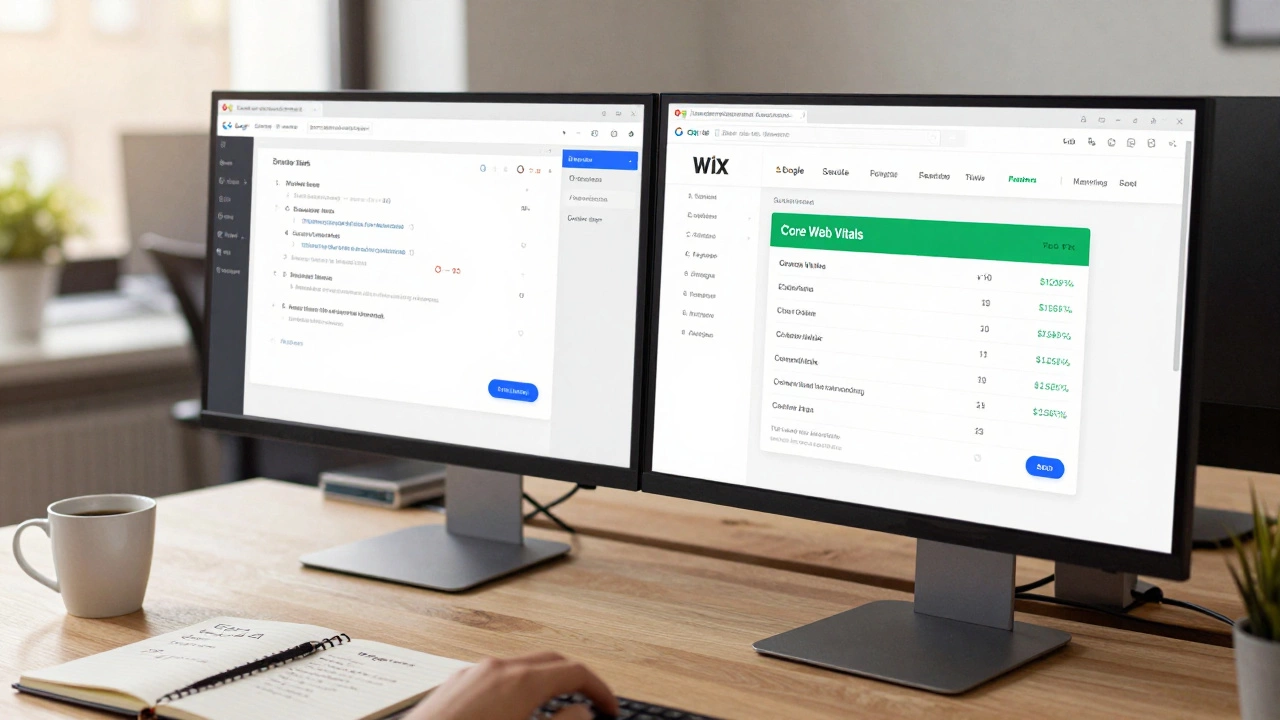
Speed matters. Google uses Core Web Vitals as a ranking factor, and slow sites lose traffic. Historically, drag-and-drop builders produced bloated code. Wix has invested heavily in its Content Delivery Network (CDN) and image optimization algorithms. Every image you upload is automatically compressed and served in next-gen formats like WebP. This ensures that visual assets load quickly without crushing your bandwidth.
In real-world tests, many Wix sites score green across the board on PageSpeed Insights, particularly for Largest Contentful Paint (LCP) and Cumulative Layout Shift (CLS). The layout stability is generally excellent because Wix controls the entire environment. Unlike WordPress, where a poorly coded plugin can break your CSS and cause layout shifts, Wix’s ecosystem is closed and standardized. This consistency helps maintain high performance scores.
That said, heavy use of third-party apps can bloat your site. If you install five different chat widgets, pop-up generators, and analytics trackers, your Time to Interactive (TTI) will suffer. The rule of thumb here is minimalism. Stick to native Wix features whenever possible, and audit your installed apps regularly. Remove anything that isn’t critical to the user experience.
Mobile Optimization: No More Separate Editors
This is one of the biggest improvements in recent years. Old versions of Wix required you to build a separate mobile version of your site. This was a nightmare for SEO because you had to ensure both desktop and mobile versions matched perfectly in content and structure. Today, Wix uses responsive design principles. You build once, and the platform adapts the layout for tablets and phones.
Because there is only one set of code serving all devices, there is no risk of duplicate content issues between mobile and desktop versions. Google’s mobile-first indexing works seamlessly with this approach. You can hide elements on mobile if they clutter the screen, but the underlying HTML remains consistent. This simplifies your SEO strategy significantly. You focus on one URL, one piece of content, and one set of metadata.
E-Commerce SEO: Can Wix Compete With Shopify?
If you are selling products, SEO becomes more complex. You need category pages, individual product pages, and potentially thousands of SKUs. Wix Stores handles this reasonably well. Each product gets its own unique URL, and you can customize the meta tags for each item. The platform also supports breadcrumb navigation, which helps search engines understand your site hierarchy.
Where Wix falls slightly behind dedicated giants like Shopify is in scalability and advanced filtering. If you have a massive catalog with hundreds of variants, managing canonical tags to avoid duplicate content from filter parameters (like color or size) requires careful configuration. Wix provides settings to handle this, but it’s not as intuitive as some competitors. You must ensure that filtered views don’t create infinite indexable URLs. Use the built-in robots.txt editor to block parameterized URLs if necessary.
Another consideration is app integrations. While Wix has a robust app market, it doesn’t match the sheer volume of specialized SEO tools available for Shopify or WooCommerce. For simple stores, Wix is fine. For large-scale operations requiring intricate SEO automation, you might find yourself constrained.
When Should You Avoid Wix for SEO?
Despite its improvements, Wix isn’t the right tool for every job. As a developer, you should steer clear of Wix if:
- You need full access to the source code: If your SEO strategy relies on modifying the raw HTML output or injecting custom scripts into the head/body tags programmatically, Wix’s closed environment will frustrate you.
- You are building a massive content hub: Sites with tens of thousands of pages may face indexing bottlenecks. While Wix handles sitemaps well, navigating the dashboard to manage redirects or bulk-edit metadata at scale is clunky compared to database-driven CMS platforms.
- You require complex dynamic routing: If your site logic depends on user-specific data or complex API interactions that affect the initial render, Wix’s static-first approach might introduce latency or complexity.
In these scenarios, a headless CMS paired with a framework like Next.js or Gatsby would offer superior control and performance. But for 95% of websites, those edge cases don’t apply.
Pro Tips for Maximizing Wix SEO
If you decide to go ahead with Wix, follow these steps to ensure you’re getting the best possible results:
- Use Descriptive Slugs: Don’t accept default URLs like
/page123. Change them to/best-coffee-beans-dublin. Keep them short and keyword-rich. - Leverage Blogging: Wix Blogs are surprisingly powerful. They support categories, tags, and author profiles. Use them to target long-tail keywords and build topical authority.
- Optimize Images Manually: Even though Wix compresses images, always write descriptive Alt Text. This helps with accessibility and gives search engines context about the visual content.
- Set Up Redirects Properly: If you change a page URL, always set up a 301 redirect. Wix makes this easy through the SEO Settings menu. Broken links hurt your crawl budget and user experience.
- Submit Your Sitemap: Go to Google Search Console and submit your Wix sitemap. It’s usually located at
yourdomain.com/sitemap.xml. This speeds up indexing.
Final Verdict: Is It Worth It?
So, is Wix ok for SEO? Absolutely. It is no longer the SEO disaster it once was. For small businesses, freelancers, and entrepreneurs who want a professional-looking site that ranks well without hiring a development team, Wix is a top-tier choice. The built-in tools cover all the bases: clean code, fast loading speeds, mobile responsiveness, and structured data.
Just remember that the platform only gets you halfway there. The rest depends on your content strategy. You can have the best technical SEO in the world, but if your articles are thin or your product descriptions are copied from manufacturers, you won’t rank. Use Wix as a reliable foundation, then focus your energy on creating valuable, unique content that answers your customers’ questions.
Can Wix rank on the first page of Google?
Yes, absolutely. Thousands of Wix sites rank on the first page of Google. The platform provides all the necessary technical SEO features-clean code, fast loading times, and mobile optimization-to compete effectively. Success depends more on your content quality and backlink profile than the platform itself.
Does Wix allow custom meta tags?
Yes. You can customize the meta title, meta description, and URL slug for every page, blog post, and product. These settings are accessible directly from the page editor sidebar, making it easy to optimize each page individually for specific keywords.
Is Wix better than WordPress for SEO?
It depends on your needs. Wix is easier to set up and maintains consistent performance without needing plugins. WordPress offers more flexibility and control for advanced users but requires more maintenance to keep speed and security optimal. For beginners, Wix is often less prone to technical errors.
Can I move my Wix site to another platform later?
You can export your content, such as blog posts and images, but you cannot transfer the design or code. Moving away from Wix means rebuilding your site from scratch on the new platform. Be sure to set up 301 redirects for all old URLs to preserve your SEO rankings during the migration.
Does Wix support Schema Markup?
Yes, Wix automatically adds basic Schema Markup for common page types like Articles, Products, and Local Businesses. For more complex or custom structured data, you may need to use Wix Velo (coding environment) or third-party apps to inject custom JSON-LD code.