
Interactive CSS Explorer
Click on each technology to see its role in building a webpage.
HTML
Structure
CSS
Presentation
JavaScript
Behavior
Select a Pillar
Click one of the cards above to understand how it contributes to the web page.
Adjust Properties
Visual Result
* Visual representation of the CSS Box Model
A quick comparison of capabilities between CSS and JavaScript.
| Feature | CSS | JavaScript |
|---|---|---|
| Logic (If/Else) | No | Yes |
| Variables | Limited* | Full |
| Data Fetching | No | Yes |
| Animations | Yes | Yes |
| Type | Declarative | Imperative |
*CSS Custom Properties exist but lack complex logic capabilities.
Question goes here?
Quiz Complete!
You scored 0 out of 0
Here is the short answer that usually confuses beginners: CSS is not a programming language. It is a stylesheet language. But if you are asking whether it belongs to the front-end development is the client-side part of web development responsible for everything a user sees and interacts with in their browser, then yes, absolutely. In fact, it is one of the three pillars of the modern web, sitting right alongside HTML and JavaScript.
If you have ever looked at a job posting for a "Front-End Developer" and seen CSS listed as a required skill, you might wonder why they call it a language if it can't do math or make decisions. The confusion comes from how we define "language" in tech. To clear this up, we need to look at what CSS actually does, how it differs from code like JavaScript, and why your website will look like broken junk without it.
The Three Pillars of the Web
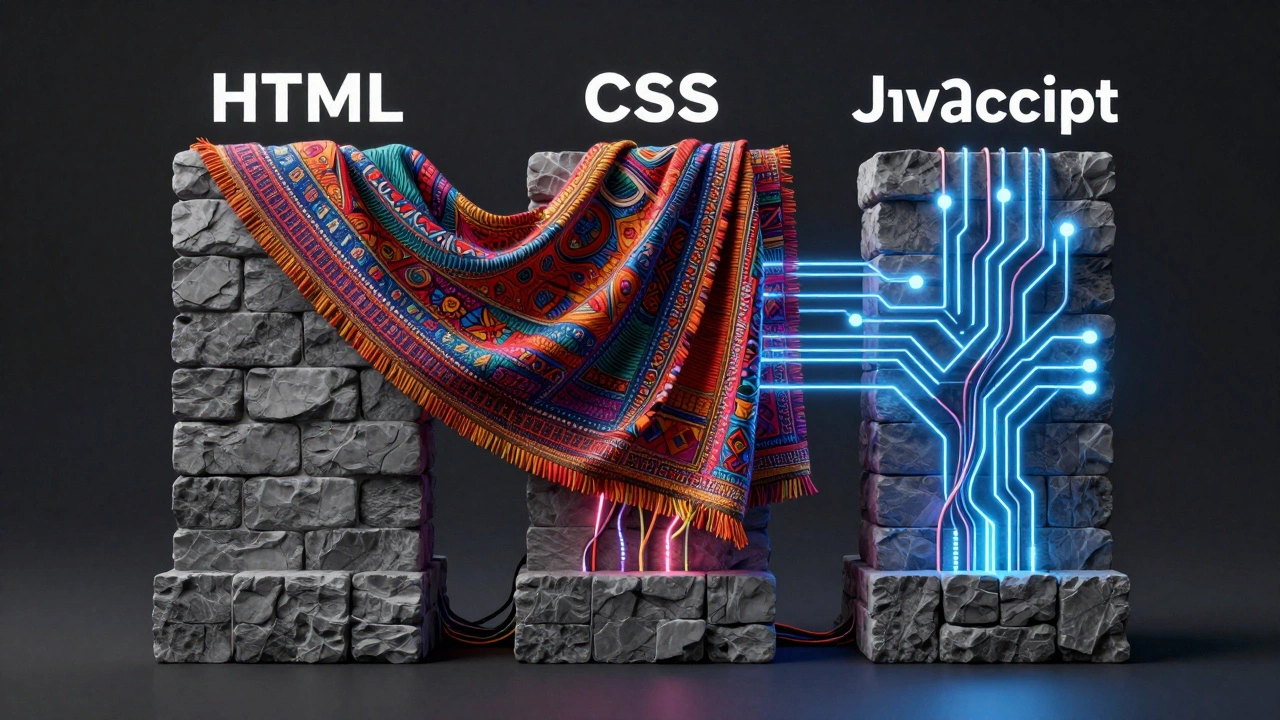
To understand where CSS fits, you have to look at the whole picture. A web page isn't just one thing; it's a combination of three distinct technologies working together. Think of building a house. You need the structure, the decoration, and the utilities.
HTML (HyperText Markup Language) is the standard markup language for documents designed to be displayed in a web browser, providing the structural skeleton of a webpage is the structure. It defines what elements exist on the page-headings, paragraphs, images, buttons. Without HTML, there is nothing to display. It’s the bricks and mortar.
CSS (Cascading Style Sheets) is a style sheet language used for describing the presentation of a document written in HTML, controlling layout, colors, fonts, and spacing is the decoration. It tells the browser how that structure should look. Should the heading be red? Should the image be centered? Should the text wrap around a photo? CSS handles all of that visual polish.
JavaScript is a high-level, interpreted programming language that conforms to the ECMAScript specification, primarily used to create interactive effects within web browsers is the utility and behavior. It makes things happen. When you click a button and a menu drops down, or when a form validates your email address before sending, that is JavaScript doing the heavy lifting.
In the context of front-end development, all three are essential. However, only JavaScript is considered a true "programming" language because it has logic, variables, and control flow. CSS is a descriptive language. It describes appearance, but it doesn't process data.
Why CSS Is Not a Programming Language
This distinction matters more than you might think. If you try to use CSS like a programming language, you will hit a wall. Let’s break down why CSS fails the test of being a programming language.
First, CSS lacks logic. A programming language can make decisions. It can say, "If the user clicks this button, show this message. Otherwise, hide it." CSS cannot do conditional logic based on user actions in the same way. It reacts to states (like hovering over a link), but it doesn't execute algorithms.
Second, CSS has no variables in the traditional sense-well, it did until recently. For decades, CSS was purely static. You wrote a rule, and it applied. Now, with CSS Custom Properties (often called CSS Variables), you can store values like colors or font sizes and reuse them. This is a huge step forward, but these variables are still limited compared to JavaScript variables. They don't hold complex data types or perform calculations on their own without specific functions.
Third, CSS is declarative, not imperative. When you write JavaScript, you tell the computer *how* to do something step-by-step. When you write CSS, you tell the browser *what* the result should look like. You say, "This box should be blue," and the browser figures out how to paint it blue. You don't give it instructions on which pixels to color.
| Feature | CSS (Stylesheet Language) | JavaScript (Programming Language) |
|---|---|---|
| Purpose | Visual presentation and layout | Interactivity, logic, and data manipulation |
| Logic Capabilities | None (no if/else statements) | Full logical operations (if/else, loops, functions) |
| Data Handling | Cannot fetch or store complex data | Can fetch APIs, store objects, and manipulate DOM |
| Execution Model | Declarative (describes state) | Imperative (executes steps) |
| Role in Front-End | Makes it look good | Makes it work and feel responsive |
The Evolution of CSS: Getting Smarter
While CSS isn't a programming language, it has become incredibly powerful over the last decade. It used to be very basic-just changing text color and background. Today, CSS can handle complex layouts, animations, and even some mathematical calculations.
Features like Flexbox is a one-dimensional layout method for arranging items in rows or columns, allowing flexible alignment and distribution of space among items and CSS Grid is a two-dimensional layout system for the web, enabling developers to create complex responsive layouts without relying on floats or positioning hacks revolutionized how we build websites. Before these tools, creating a responsive layout required messy workarounds. Now, you can center a div vertically and horizontally with just a few lines of CSS. No JavaScript needed.
Animations are another area where CSS shines. You can create smooth transitions, keyframe animations, and hover effects entirely in CSS. This is often preferred over JavaScript animations because CSS runs on the browser's compositor thread, making it smoother and less taxing on the device's battery.
However, even with these advancements, CSS still hits a limit. If you want an animation to trigger based on a timer, or if you want to change styles based on data coming from a server, you need JavaScript. CSS describes the *style*; JavaScript controls the *behavior*.
Is CSS Considered Front-End Development?
Yes. In fact, it is arguably the most important part of the front-end experience for the average user. Users judge a website by its looks first. If a site is fast (backend) and functional (JavaScript) but looks ugly or is hard to read (bad CSS), users will leave.
Front-end developers spend a significant amount of time writing CSS. In many teams, the role is split between designers who focus on visuals and developers who implement them. But in modern frameworks like React, Vue, or Angular, the front-end developer often writes both the component logic (JavaScript/TypeScript) and the styles (CSS or CSS-in-JS solutions).
There are different ways to manage CSS in front-end projects today:
- Traditional CSS: Separate .css files linked to HTML. Simple, universal, but can get messy in large projects.
- CSS Preprocessors (Sass/Less): Tools that add features like variables, nesting, and mixins to CSS. They compile down to regular CSS. Very popular in professional workflows.
- CSS-in-JS: Libraries like Styled Components or Emotion that allow you to write CSS directly inside JavaScript files. This bridges the gap between the two worlds, making styles reactive to component state.
- Utility-First Frameworks (Tailwind CSS): Instead of writing custom CSS classes, you use pre-defined utility classes in your HTML. This speeds up development but changes how you think about styling.
Regardless of the method, CSS remains the core technology for visual presentation. It is inseparable from front-end development.
Common Misconceptions About CSS
Because the line between "code" and "markup" is blurry for beginners, several myths persist about CSS.
Myth 1: CSS is easy. Basic CSS is easy. Making a button red is simple. But mastering CSS is hard. Dealing with cross-browser compatibility, responsive design for dozens of screen sizes, and complex layout bugs requires deep knowledge. Many senior developers consider advanced CSS one of the hardest parts of front-end work.
Myth 2: You don't need to learn CSS if you know JavaScript. False. While JavaScript can manipulate styles, it is inefficient to use JS for everything. Using JavaScript to set every margin and color slows down your application. The best practice is to let CSS handle the static styles and use JavaScript only for dynamic changes.
Myth 3: CSS is dying because of frameworks. Frameworks like Bootstrap or Tailwind don't replace CSS; they are built on top of it. Even if you use a framework, you are still writing CSS (or classes that generate CSS). Understanding the underlying principles of CSS is crucial for debugging and customization.

How to Learn CSS Effectively
If you are starting your journey in front-end development, here is a practical path to mastering CSS:
- Master the Box Model: Understand how every element on a page is a box with content, padding, border, and margin. This is the foundation of all layout issues.
- Learn Flexbox and Grid: Forget old techniques like floats for layout. Focus on Flexbox for one-dimensional arrangements (navbars, cards) and Grid for two-dimensional layouts (dashboards, galleries).
- Practice Responsive Design: Learn how to use media queries to adapt your site for mobile, tablet, and desktop screens. Mobile-first design is the industry standard.
- Understand Specificity: Learn how the browser decides which style rule to apply when multiple rules conflict. This prevents hours of debugging frustration.
- Explore Modern Features: Look into CSS Custom Properties, container queries, and new animation features. The language is evolving rapidly.
Remember, CSS is not about memorizing properties. It is about understanding how the browser renders pages. Once you grasp the rendering engine's logic, CSS becomes intuitive.
The Future of Styling on the Web
As we move through 2026, the relationship between CSS and JavaScript continues to evolve. We are seeing more integration between the two. CSS Houdini, for example, allows developers to extend CSS with JavaScript, giving us low-level access to the CSS engine. This blurs the line further, allowing for more powerful and customizable styling capabilities.
Additionally, AI tools are beginning to assist in generating CSS code. However, these tools rely on the fundamental principles of CSS. Knowing how CSS works ensures you can edit, debug, and optimize the code generated by AI.
Whether you call it a programming language or a stylesheet language, CSS is indispensable. It is the voice of aesthetics in the digital world. Without it, the web would be a place of plain text and raw data. With it, we have immersive, beautiful, and accessible experiences. So, while it may not pass the Turing test for programming languages, it passes the test for front-end essentials with flying colors.
Is CSS a coding language?
Technically, no. CSS is a stylesheet language, not a programming language. It lacks logic, variables (in the traditional sense), and control structures found in coding languages like JavaScript or Python. However, it is a critical part of web development codebases.
Do I need to know CSS to be a front-end developer?
Yes, absolutely. CSS is one of the three core technologies of the web, along with HTML and JavaScript. Every front-end developer must know how to style web pages, create responsive layouts, and debug visual issues using CSS.
What is the difference between HTML and CSS?
HTML provides the structure and content of a webpage (like headings, paragraphs, and images). CSS controls the presentation and layout of that content (like colors, fonts, spacing, and position). HTML is the skeleton; CSS is the skin and clothing.
Can CSS replace JavaScript?
No. CSS can handle simple interactions like hover effects and basic animations, but it cannot perform complex logic, fetch data from servers, or manipulate the DOM dynamically in the way JavaScript can. They complement each other rather than replace one another.
Is CSS hard to learn?
The basics of CSS are easy to pick up. However, mastering advanced concepts like responsive design, cross-browser compatibility, and complex layout systems (Grid/Flexbox) takes time and practice. It is considered easier to start than JavaScript but harder to master perfectly.
What is CSS-in-JS?
CSS-in-JS is a pattern where CSS styles are written directly within JavaScript files, often using libraries like Styled Components. This allows styles to be scoped to components and react to JavaScript state, bridging the gap between styling and logic in modern frameworks like React.