Web Developer Learning Path Tracker
Progress Overview
Start checking off skills to see your progress.
| Resource | Type |
|---|---|
| freeCodeCamp | Curriculum |
| MDN Web Docs | Reference |
| The Odin Project | Full Stack |
You stare at the screen. You see a website that looks simple enough-a clean layout, some text, maybe a button-but you have no idea how it was built. You want to build things like this. You want to create your own digital spaces. But where do you actually begin? The internet is flooded with conflicting advice. Some people say start with Python. Others swear by React before you even know what an HTML tag is. It’s overwhelming.
The truth is simpler than the noise suggests. Web development has a clear foundation. If you skip it, you’ll struggle later. If you master it, the rest becomes intuitive. This guide cuts through the hype and gives you a concrete path to start learning web development right now, without burning out or wasting money on unnecessary tools.
The Three Pillars of the Web
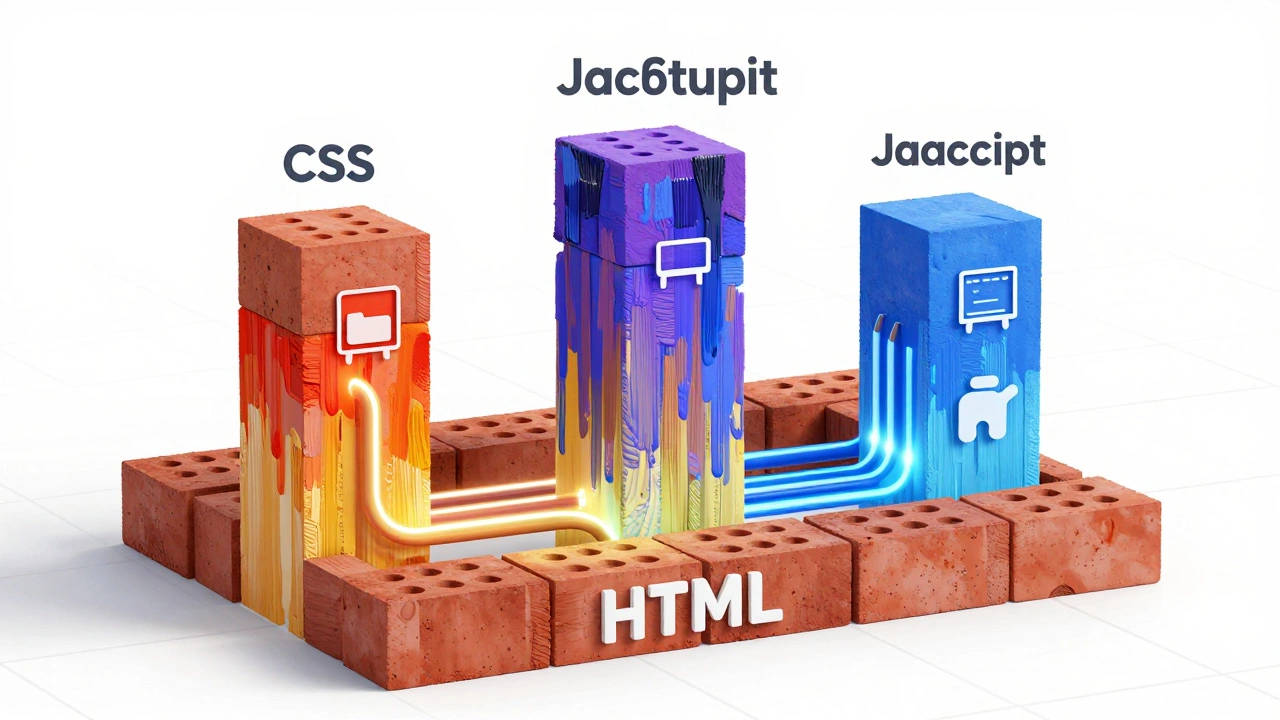
Before you download any software or sign up for a course, you need to understand the anatomy of a webpage. Every site you visit, from social media giants to local bakery blogs, is built on three core technologies. They work together like a house:
- HTML (HyperText Markup Language) is the structure of the page, like the bricks and mortar of a house. It tells the browser what elements are on the page-headings, paragraphs, images, links.
- CSS (Cascading Style Sheets) is the presentation layer, like the paint, flooring, and furniture. It controls colors, fonts, spacing, and layout.
- JavaScript is the behavior, like the electricity and plumbing. It makes things interactive: buttons that click, forms that submit, data that loads dynamically.
If you try to learn JavaScript before understanding HTML and CSS, it’s like trying to install smart home devices in a house that hasn’t been built yet. Start with the structure. Then the style. Then the logic.
Step 1: Master HTML and CSS Without Overthinking
Your first goal isn’t to build a complex app. It’s to make a static webpage that looks good on both desktop and mobile. Here’s how to approach it:
- Learn Semantic HTML: Don’t just use
<div>for everything. Use<header>,<nav>,<main>,<footer>. This helps with accessibility and SEO, which you’ll care about later. - Understand the Box Model: Every element in CSS is a box. Margins, padding, borders, and content width all affect layout. Confusion here causes most beginner design bugs.
- Flexbox and Grid: These are modern CSS layout systems. Forget old tricks like floating divs. Flexbox is great for one-dimensional layouts (like navigation bars). CSS Grid is powerful for two-dimensional layouts (like photo galleries).
Spend about two to four weeks here. Build small projects: a personal bio page, a restaurant menu, a product landing page. Use free resources like MDN Web Docs (Mozilla Developer Network) or freeCodeCamp. These platforms offer structured, up-to-date tutorials that don’t cost anything.
Step 2: Add Interactivity with JavaScript
Once your pages look good, it’s time to make them do something. JavaScript is the most popular programming language for web development because it runs directly in the browser. No installation needed.
Start with the basics:
- Variables and Data Types: How to store information (text, numbers, lists).
- Functions: Reusable blocks of code.
- DOM Manipulation: How to change HTML and CSS using JavaScript. For example, clicking a button changes the background color.
- Events: Responding to user actions like clicks, scrolls, or key presses.
Avoid jumping into frameworks too early. Frameworks like React, Vue, or Angular are helpful for large applications, but they add complexity. If you don’t understand plain JavaScript, these tools will confuse you. Spend another month building interactive projects: a calculator, a to-do list, a weather app that fetches data from an API.
| Resource | Type | Cost | Best For |
|---|---|---|---|
| freeCodeCamp | Interactive Curriculum | Free | Hands-on practice with immediate feedback |
| MDN Web Docs | Reference & Tutorials | Free | Deep dives into specific concepts |
| The Odin Project | Full Stack Path | Free | Structured project-based learning |
| Udemy Courses | Video Lessons | $10-$20 (on sale) | Visual learners who prefer instructor-led content |
Step 3: Learn Version Control with Git
You might think version control is advanced stuff. It’s not. It’s essential. Git is a tool that tracks changes in your code. If you break something, you can revert to a previous version. It also allows multiple developers to work on the same project without overwriting each other’s work.
GitHub is the most popular platform for hosting Git repositories. Create an account and learn the basic commands:
git init: Start a new repository.git add: Stage changes.git commit: Save changes with a message.git push: Upload changes to GitHub.
This skill alone makes you hireable. Employers expect you to know Git. It’s part of the daily workflow for every professional developer.
Step 4: Choose Your Path - Front-End or Back-End?
After mastering the basics, you’ll face a choice. Web development splits into two main areas:
Front-End Development is focused on what users see and interact with in the browser. This includes HTML, CSS, JavaScript, and frameworks like React or Vue. If you enjoy design, animation, and user experience, this is your lane.
Back-End Development is focused on server-side logic, databases, and application programming interfaces (APIs). Languages include Node.js, Python, Ruby, PHP, or Java. If you prefer logic, data management, and system architecture, go back-end.
You don’t have to pick forever. Many developers become “full-stack,” meaning they handle both sides. But starting with one reduces cognitive load. Pick based on interest, not salary rumors. Both paths offer strong career opportunities.
Common Mistakes That Slow Down Beginners
I’ve seen thousands of beginners stall out. Usually, it’s due to one of these traps:
- Tutorial Hell: Watching endless videos without building anything. You learn by doing, not watching. Pause the tutorial and type the code yourself. Break it. Fix it.
- Tool Obsession: Installing five different editors, extensions, and frameworks before writing your first line of code. Use VS Code. It’s free, lightweight, and industry-standard. Stick with it until you have a reason to switch.
- Perfectionism: Waiting until your code is perfect before sharing it. It won’t be. Ship it. Get feedback. Iterate. Real-world development is messy.
- Ignoring Fundamentals: Jumping to React without knowing JavaScript. Frameworks change every year. Core skills last decades.
Building a Portfolio That Gets You Hired
Certificates matter less than proof of work. Employers want to see what you can build. Your portfolio should include three to five projects that demonstrate range:
- A Responsive Website: Shows you understand HTML, CSS, and mobile-first design.
- An Interactive App: Uses JavaScript to manipulate the DOM or fetch data from an API.
- A Full-Stack Project: Combines front-end and back-end, with a database and user authentication.
Host your projects on GitHub Pages or Netlify. Include live links in your resume. Write brief README files explaining what you built, what technologies you used, and what challenges you overcame. This shows communication skills, which are just as important as coding.
Staying Motivated When Progress Feels Slow
Learning to code is a marathon, not a sprint. There will be days when nothing works. Errors pile up. You feel stupid. This is normal. Even senior developers spend hours debugging simple issues.
Join communities. Reddit’s r/learnprogramming, Discord servers, and local meetups provide support. Ask questions. Read others’ problems. Teaching someone else is the best way to solidify your own knowledge. Consider contributing to open-source projects once you’re comfortable. It builds real-world experience and connects you with professionals.
Remember why you started. Was it to build your own startup? To switch careers? To automate tasks? Keep that vision visible. Progress compounds. Small daily efforts lead to significant results over months.
How long does it take to learn web development?
It depends on your dedication. With consistent daily practice (1-2 hours), you can build basic websites in 2-3 months. Job-ready proficiency typically takes 6-12 months. Part-time learners may need 12-18 months. Focus on projects, not timelines.
Do I need a computer science degree to become a web developer?
No. Most successful web developers are self-taught or attended bootcamps. Employers prioritize portfolios and practical skills over degrees. However, CS fundamentals help with problem-solving and scalability in larger roles.
What is the best programming language for beginners?
JavaScript is the best starting point for web development. It runs in browsers, has vast community support, and powers both front-end and back-end (via Node.js). HTML and CSS aren’t programming languages but are essential prerequisites.
Should I learn React or Vue first?
Neither. Master vanilla JavaScript first. Frameworks build on core JS concepts. Once you understand closures, promises, and DOM manipulation, choosing between React and Vue becomes easier. React has more job openings; Vue is often considered easier to learn.
Is web development still in demand in 2026?
Yes. Digital transformation continues across industries. While AI tools generate code faster, human developers are needed for architecture, security, customization, and maintenance. Demand remains strong for skilled practitioners who understand fundamentals.