E-Commerce Checkout Conversion Calculator
How Many Sales Are You Missing?
Calculate potential revenue loss from cart abandonment
Most e-commerce businesses lose 70-80% of potential sales to cart abandonment. The article mentions that 80% of people leave after seeing shipping costs. Let's see how this impacts your revenue.
Your Results
Ever bought something online and wondered how it actually got from a warehouse to your doorstep? E-commerce isn’t magic. It’s a system - simple, predictable, and built on a few core steps anyone can understand. If you’ve ever clicked "Buy Now," you’ve already taken part in it. Let’s break down how e-commerce really works, step by step.
Step 1: The Online Storefront
Every e-commerce business starts with a website. This isn’t just a pretty page with product photos. It’s a digital shop with a shopping cart, payment system, and inventory tracker. Platforms like Shopify, WooCommerce, or BigCommerce handle most of the heavy lifting. They give store owners tools to add products, set prices, upload images, and manage orders - all without writing a single line of code.
Think of it like renting a physical storefront, but instead of paying rent for square footage, you pay a monthly fee for software access. The storefront needs to load fast, look clean, and work on phones. Over 60% of online purchases happen on mobile devices. If your site is slow or clunky on a phone, you’re losing sales before customers even see your products.
Step 2: Product Listings and Inventory
Products don’t just appear magically. Someone has to enter each item’s name, description, price, photos, and stock level. This seems simple, but mistakes here cause real problems. A wrong price? A product showing as "in stock" when it’s not? That leads to angry customers and chargebacks.
Big stores use inventory management systems that sync with their warehouse software. When someone buys a pair of shoes, the system automatically reduces the stock count. If the last item sells, the website updates in real time to say "Sold Out." Smaller sellers might do this manually, but even they need to check stock regularly. Running out of stock without updating the site is one of the top reasons customers abandon carts.
Step 3: The Shopping Cart and Checkout
When a customer adds something to their cart, the website doesn’t immediately reserve it. It just remembers what they’ve picked. That’s why you sometimes see "Only 2 left!" - it’s a psychological nudge. The item isn’t locked until payment clears.
The checkout process is where most sales fail. If you ask for too much info - phone number, address, birth date, newsletter signup - people leave. The best checkouts ask for only what’s needed: name, shipping address, payment method. Many now offer one-click buying or saved payment details. Amazon made this normal. Customers expect it.
Payment gateways like Stripe, PayPal, or Square handle the actual money transfer. They connect the customer’s credit card to the store’s bank account. These services also check for fraud. If a card is stolen or the transaction looks suspicious, they block it before the store even sees the payment.
Step 4: Order Processing and Fulfillment
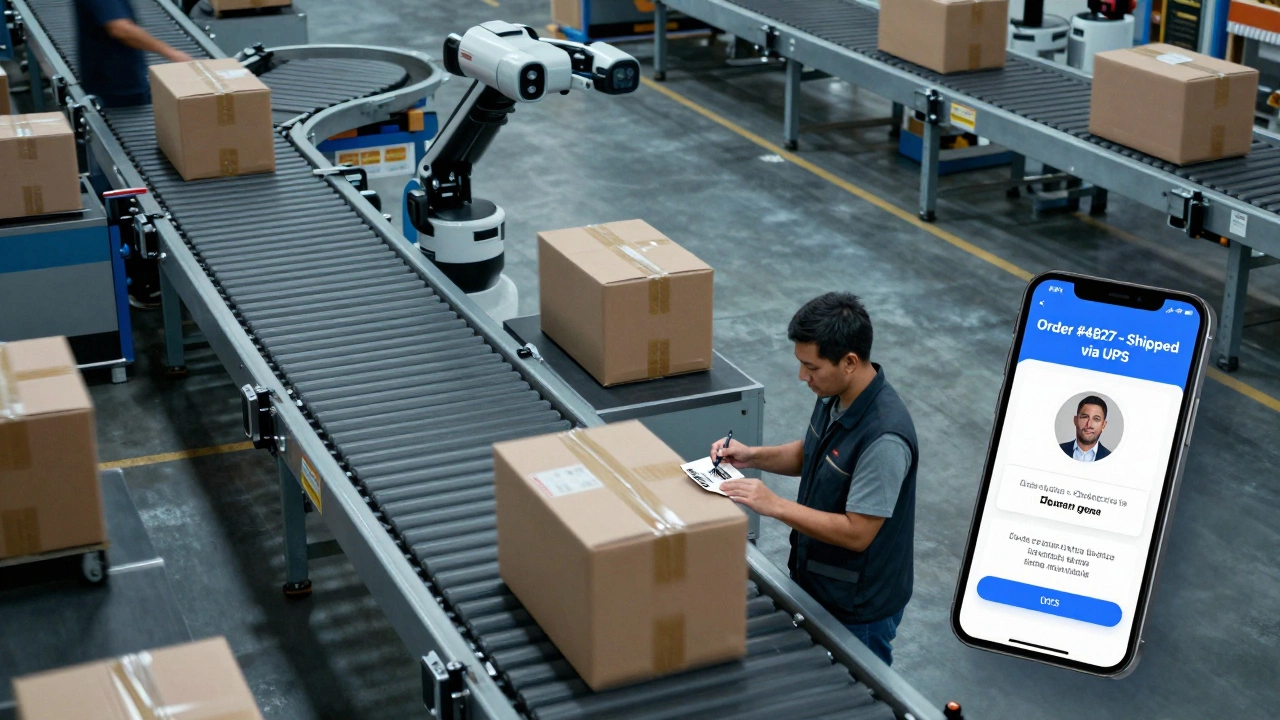
Once payment clears, the system sends a notification to the warehouse or supplier. In a small business, this might mean a person prints a shipping label and packs the item. In a big company, robots might pick items from shelves, and conveyor belts move them to packing stations.
Most stores use shipping carriers like FedEx, UPS, or local postal services. The system generates a tracking number, which gets emailed to the customer. That tracking number isn’t just for show - it reduces customer service calls. When people can see where their package is, they’re less likely to panic and ask "Where’s my order?"
Some stores use dropshipping. That means they never touch the product. They sell it online, then the supplier ships it directly to the customer. This cuts down on storage costs but can make returns messy. If the product is defective, the store still has to handle the complaint - even though they never saw the item.
Step 5: Customer Service and Returns
Not every sale ends with a happy customer. Maybe the product arrived broken. Or it’s not what they expected. That’s where returns and customer service come in.
Good e-commerce businesses make returns easy. A simple online form, a prepaid shipping label, and clear instructions. If you make returns hard, customers won’t come back. In fact, 9 out of 10 shoppers say they’ll buy again if the return process is smooth.
Customer service isn’t just about returns. It’s also answering questions like "Will this fit?" or "When will it arrive?" Many stores use chatbots for basic questions, but real humans are still needed for complex issues. The goal is to respond within 24 hours. Slow replies lead to bad reviews - and bad reviews hurt sales.
Step 6: Marketing and Repeat Customers
Getting someone to buy once is hard. Getting them to buy again is even harder. That’s why e-commerce isn’t just about selling - it’s about building relationships.
After a purchase, most stores send a thank-you email. Then, a few days later, they might send a survey: "How was your experience?" A week after that, they might offer a discount for the next order. These aren’t random. They’re part of a sequence called an email funnel.
Some stores use loyalty programs. Buy five times, get the sixth free. Others use retargeting ads - showing you the same shoes you looked at last week, now with 10% off. These tactics work because they remind people without being annoying.
Word of mouth still matters. If someone leaves a good review, it can bring in dozens of new customers. That’s why many stores ask for reviews after delivery. A single 5-star review on Google or Trustpilot can be worth thousands in free advertising.
What Makes E-Commerce Different from a Physical Store?
At a brick-and-mortar shop, you walk in, see the product, touch it, maybe ask a clerk, and pay at the counter. Online, you never see the person you’re buying from. Trust has to be built differently.
Security badges (SSL certificates, Norton Secured, McAfee), real customer reviews, clear return policies, and live chat support all help. People need to feel safe. That’s why you see so many trust signals on checkout pages - they’re not decoration. They’re necessary.
Another big difference: data. Online stores know exactly what you clicked, how long you looked at a product, and what you abandoned in your cart. That data helps them improve. If 80% of people leave after seeing the shipping cost, the store might offer free shipping over $50. That’s something a physical store can’t do.

Common Mistakes That Break E-Commerce
- Slow website speed - if your site takes more than 3 seconds to load, you lose half your visitors.
- Hidden fees - shipping costs, taxes, or handling fees that show up only at checkout.
- No mobile optimization - if your buttons are too small or text is hard to read on a phone, you’re losing sales.
- Ignoring customer reviews - bad reviews left unanswered look like you don’t care.
- Not testing payments - if PayPal doesn’t work, or your credit card processor is down, you’re turning away money.
These aren’t minor issues. They’re deal-breakers. Customers today expect flawless experiences. If one part of the system fails - payment, shipping, support - they won’t come back.
Real-World Example: How a Small Business Runs E-Commerce
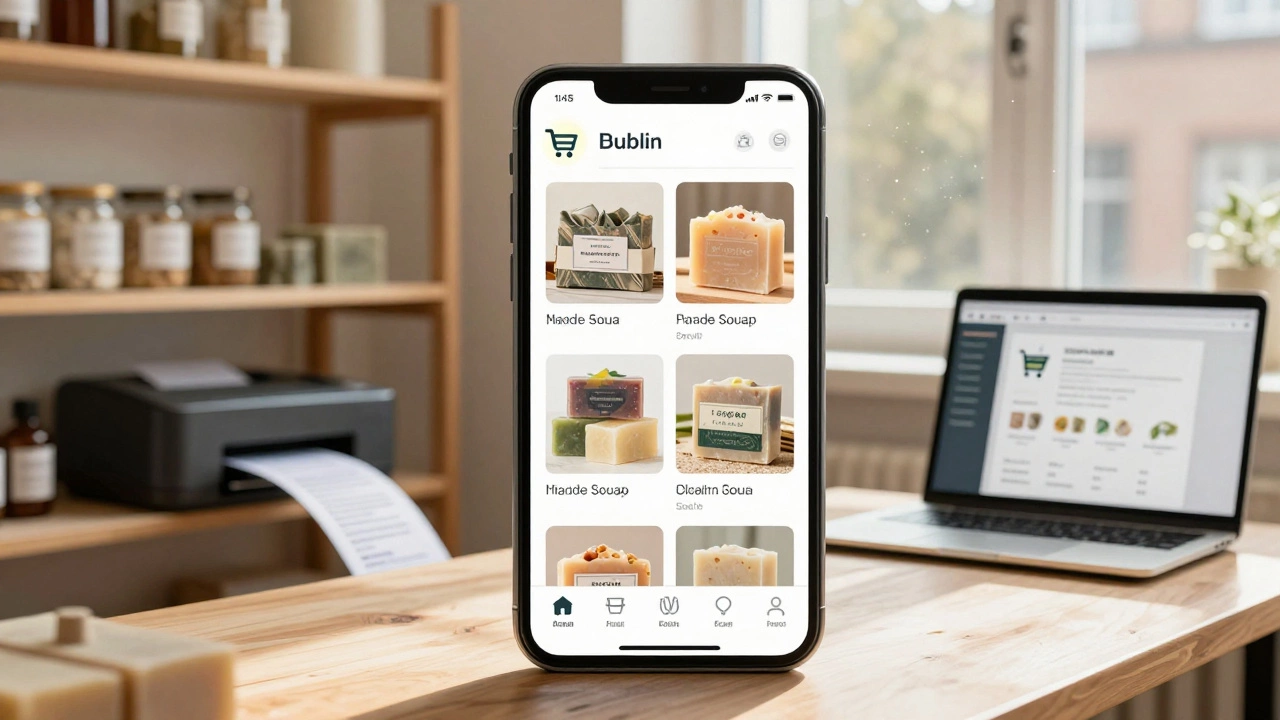
Take a handmade soap shop in Dublin. They use Shopify. They upload 15 products - lavender, peppermint, oatmeal - with photos and descriptions. Each has a price and stock count. When someone orders a bar, Shopify sends an email to the shop owner. They pack it, print a label, and drop it at the post office. The system auto-generates a tracking number. The customer gets an email with it. Two days later, they get a follow-up: "How’s your soap? Leave a review!"
Every week, they send an email with a 10% off code to past buyers. They also run a Facebook ad targeting people who like natural skincare. Their entire operation runs on a laptop, a printer, and a few boxes. No warehouse. No staff. Just a simple system that works.
Final Thought: E-Commerce Is a System, Not a Miracle
It’s not about having the fanciest website or the most viral TikTok ad. It’s about connecting the dots: product → cart → payment → fulfillment → delivery → support → repeat. Get each step right, and sales grow. Miss one, and customers walk away.
If you’re starting out, don’t overcomplicate it. Pick one platform. Add five products. Make sure checkout works. Test the delivery process. Ask for feedback. Then improve. That’s how real e-commerce businesses grow - one small win at a time.
Is e-commerce only for big companies?
No. E-commerce works for anyone with a product or service. Small businesses, artisans, and freelancers use platforms like Shopify, Etsy, or WooCommerce to sell online. You don’t need a warehouse or a team. Just a good product, clear photos, and a simple checkout process. Many successful online stores started with just one person and a laptop.
How do I know if my e-commerce site is secure?
Look for "https://" at the start of your website URL - the "s" means it’s secure. Also check for trust badges like Norton Secured, McAfee, or SSL certificates near the checkout. Use a reputable payment processor like Stripe or PayPal - they handle security for you. Never store customer credit card data yourself. That’s a major risk and often against the law.
What’s the biggest mistake new e-commerce stores make?
Trying to do everything at once. They spend too much on fancy design, run ads before their site is ready, or add too many payment options. The real focus should be on one thing: making it easy for someone to buy something. Fix the basics - fast loading, clear product photos, simple checkout - before adding bells and whistles.
Can I sell internationally with e-commerce?
Yes, but it adds complexity. You need to handle currency conversion, international shipping, import taxes, and different return laws. Many platforms auto-calculate taxes and shipping rates. Start local first. Once you’ve nailed your home market, expand. Don’t try to sell to 50 countries on day one.
Do I need a business license to start an online store?
It depends on where you live. In most places, if you’re selling regularly for profit, you need to register your business and get a tax ID. Even if you’re selling from home, local laws still apply. Check your country’s small business regulations. Ignoring this can lead to fines or legal trouble later.