UX Career Path Simulator
Follow this structured path to go from beginner to job-ready UX designer. Click "Next Step" to reveal the actionable tasks for each phase.
You don’t need to write a single line of code to build great user experiences. In fact, some of the most successful UX designers are professionals who focus on user research, empathy, and problem-solving rather than programming have never touched an IDE. If you’ve been hesitating to start your journey because you think you need to master JavaScript or Python first, let me stop you right there. That’s a myth that keeps many talented people out of the field.
The short answer is yes. You can absolutely learn UX design without coding skills. But before we get into the how, we need to clear up a major confusion: the difference between UX and UI, and where developers actually fit into this picture.
Why Coding Isn’t Required for UX Design
To understand why you don’t need to code, you have to look at what UX design actually is. It’s not about making things pretty (that’s part of UI). It’s not about building the final product (that’s development). It’s about figuring out what to build and why.
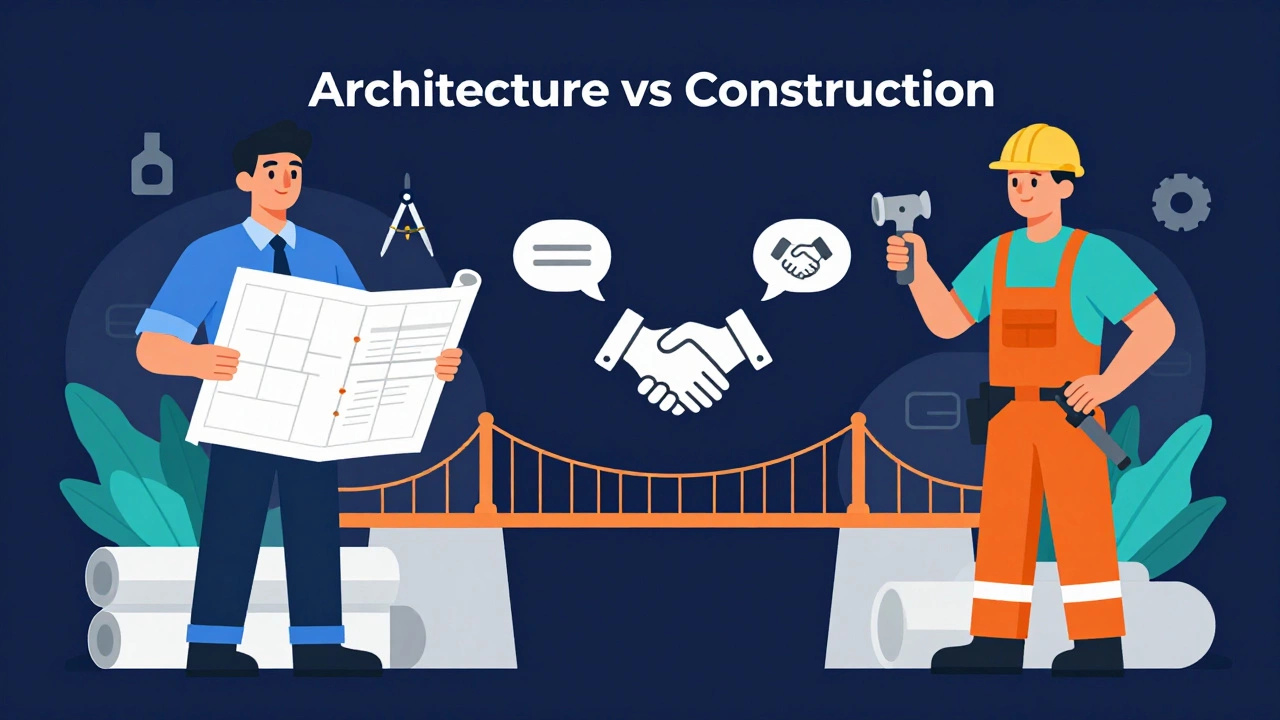
User Experience Design is a process used by design teams to create products that provide meaningful and relevant experiences to users. This involves understanding user needs, mapping out their journeys, and testing solutions to see if they work. Think of it like architecture. An architect draws the blueprints, ensures the house is functional, safe, and livable. They don’t pour the concrete or wire the electricity. A developer is the contractor who builds the structure based on those plans.
If you try to do both at once when you’re starting out, you’ll likely end up with a mediocre product. Your brain has limited bandwidth. Focusing on logic and syntax while trying to empathize with user pain points is exhausting. By removing coding from the equation, you free up mental space to dive deeper into psychology, research methods, and interaction patterns.
The Tools You Will Use Instead of Code
If you aren’t writing code, what are you doing all day? You’re designing, prototyping, and collaborating. Fortunately, the industry standard tools for these tasks are visual and intuitive.
The undisputed king of modern design is Figma is a web-based interface design tool that allows multiple designers to collaborate in real-time. It replaced older tools like Sketch and Adobe XD because it works in the browser and handles complex prototypes beautifully. With Figma, you can drag and drop elements, create interactive flows, and share links with stakeholders instantly. No compilation, no server setup, just pure design.
Here is a quick breakdown of the essential non-coding toolkit:
- Figma: For creating high-fidelity designs and interactive prototypes.
- Miro or Mural: For whiteboarding, brainstorming sessions, and mapping user journeys.
- Whimsical: For quick flowcharts and wireframes.
- UserTesting.com: For recruiting participants and running usability tests.
- Maze: For automated prototype testing and analytics.
These tools allow you to communicate your ideas visually. When you hand off your designs to a developer, you use features like "Inspect" in Figma to show them exact spacing, colors, and typography settings. You’re providing the specifications, not the implementation.
| Aspect | UX Designer (No-Code) | Front-End Developer |
|---|---|---|
| Primary Output | Prototypes, Wireframes, Research Reports | HTML, CSS, JavaScript, React Components |
| Main Focus | User Needs & Problem Solving | Functionality & Performance |
| Key Tools | Figma, Miro, Maze | VS Code, Git, Browser DevTools |
| Success Metric | User Satisfaction & Task Completion | Load Speed & Bug-Free Execution |
| Learning Curve | Medium (Psychology + Process) | Steep (Syntax + Logic) |
What You Should Learn Instead
Since you aren’t spending hours debugging code, you need to invest that time in core UX competencies. These are the skills that hiring managers look for in entry-level portfolios.
First, master User Research is the process of gathering insights about users' behaviors, needs, and motivations through observation techniques. This includes conducting interviews, creating surveys, and analyzing data. You need to know how to ask the right questions so you don’t design solutions for problems that don’t exist.
Second, learn Information Architecture. This is the skeleton of any digital product. How do you organize content so users can find what they need? Can you create a logical sitemap? If a user lands on your page, do they intuitively know where to click next? Bad IA leads to frustration, regardless of how beautiful the visuals are.
Third, practice Wireframing. Start low-fidelity. Use pen and paper or simple black-and-white boxes in Figma. Don’t worry about colors yet. Focus on layout and hierarchy. Does the call-to-action stand out? Is the navigation clear? This stage is about structure, not decoration.
Finally, understand Usability Testing. You must be comfortable watching someone struggle with your design. It’s humbling, but necessary. Learn how to moderate a test session, observe body language, and iterate based on feedback. A design that looks good but doesn’t work is a failed design.
When Basic Tech Knowledge Helps
While you don’t need to be a coder, being completely ignorant of technology can hurt your credibility. Developers will respect you more if you understand the constraints they face.
You don’t need to write HTML or CSS, but you should know what they do. HTML structures content; CSS styles it. Knowing this helps you explain why a certain animation might be expensive to build or why a specific font choice could impact load times.
Understanding the basics of Responsive Design is crucial. You need to know how your designs adapt from desktop to mobile. If you design a complex table for a desktop site, you must have a plan for how it looks on a phone screen. Ignoring this creates friction between design and development teams.
Think of it as learning enough Spanish to order food in Mexico. You don’t need to be fluent, but knowing basic phrases helps you navigate the culture. Similarly, knowing basic tech terminology helps you collaborate effectively with engineers.
Building a Portfolio Without Code
Your portfolio is your proof of competence. Since you can’t show a live coded website, you need to showcase your process. Employers want to see how you think, not just what you made.
Structure each case study around a problem. Start with the brief: What was the issue? Who were the users? Then, show your research. Include quotes from interviews, personas you created, and empathy maps. This proves you did the homework.
Next, display your iterations. Show early sketches, wireframes, and the final high-fidelity mockups. Explain why you made certain decisions. Did you move the button here because users missed it? Did you change the color scheme for better accessibility? Context is king.
Use tools like Behance or personal websites built on platforms like Webflow or Squarespace. These are no-code platforms that allow you to present your work professionally. Just ensure your own portfolio is accessible and fast-loading. Nothing screams "bad UX" louder than a portfolio that takes ten seconds to load.

Common Misconceptions About No-Code UX
There’s a lot of noise in the industry. Let’s bust three common myths.
Myth 1: "UX is just making things look nice."
This is false. Visual design is a subset of UX, but it’s not the whole thing. A beautiful app that crashes or confuses users is a failure. UX is about function first, form second.
Myth 2: "I can’t get hired without a technical background."
Many top tech companies hire designers from psychology, sociology, graphic design, and even liberal arts backgrounds. They value critical thinking and empathy over syntax memorization. Look at companies like Airbnb or Spotify-their design teams are diverse in educational background.
Myth 3: "No-code tools make my job easier."
Actually, no-code tools raise the bar. Because anyone can drag and drop a button, the expectation for quality is higher. You need to be better at strategy and research to justify your role. The barrier to entry for *making* things is lower, but the barrier for *solving hard problems* is higher.
How to Start Learning Today
You don’t need a four-year degree to start. Here is a practical path to getting job-ready.
- Take a structured course: Platforms like Coursera, Interaction Design Foundation (IDF), or General Assembly offer comprehensive UX bootcamps. IDF is particularly respected for its academic rigor.
- Read the classics: Read Don't Make Me Think by Steve Krug and The Design of Everyday Things by Don Norman. These books form the theoretical backbone of UX.
- Redesign existing apps: Pick an app you hate. Identify three pain points. Redesign those screens in Figma. Write up a case study explaining your changes. Do this three times.
- Join a community: Engage with other designers on LinkedIn, Twitter, or local meetups. Feedback is vital. Share your work early and often.
- Learn Accessibility: Study WCAG guidelines. Understanding contrast ratios, keyboard navigation, and screen readers is non-negotiable in professional UX.
Consistency beats intensity. Spend one hour a day practicing rather than binge-learning for a weekend. Design is a muscle; you have to exercise it regularly.
Is UX design easier than web development?
It depends on your strengths. UX design requires strong soft skills like empathy, communication, and abstract thinking. Web development requires logical reasoning and attention to detail. Neither is inherently "easier," but UX may feel more accessible initially because the feedback loop is faster-you can sketch a solution in minutes, whereas debugging code can take hours.
Do UX designers need to know HTML and CSS?
You do not need to know how to write HTML and CSS code to be a UX designer. However, having a basic understanding of what these technologies do helps you design realistic interfaces and communicate effectively with developers. It prevents you from designing impossible animations or layouts.
Can I get a job as a UX designer with no experience?
Yes, but you need a strong portfolio. Employers care less about your degree and more about your ability to solve problems. Build 2-3 detailed case studies that show your process from research to final design. Internships, freelance projects, or even volunteer work can count as experience.
What is the difference between UX and UI design?
UX (User Experience) focuses on the overall feel and functionality of the product-how it works and solves user problems. UI (User Interface) focuses on the visual elements-colors, typography, buttons, and icons. UX is the blueprint; UI is the interior decoration. Both are important, but they require different skill sets.
Is Figma free for beginners?
Yes, Figma offers a robust free plan that is sufficient for individual learners and small teams. You can create unlimited drafts and collaborate with up to three viewers. Most UX students and junior designers start with the free version and only upgrade when they join larger organizations.