
Website Approach Decision Tool
Find the fastest path for your specific project goals
Recommended Approach: ...
Build Speed Score
-
Runtime Performance Score
-
Quick Takeaways
- Build Speed: WordPress wins by a landslide for launching quickly.
- Load Speed: Custom coding generally wins because there is no "bloat."
- Maintenance: WordPress is easier for non-coders to update, but requires more frequent security patches.
- Scalability: Custom code handles massive, unique traffic spikes more efficiently.
The Speed of Getting Online
If your goal is to go from an idea to a live URL in 48 hours, WordPress is an open-source content management system (CMS) based on PHP and MySQL that allows users to build websites without writing every line of code from scratch. It handles the heavy lifting of user accounts, database management, and page routing out of the box.
When you use WordPress vs custom coding, you aren't starting from zero. You're starting from a finished engine. You pick a theme, install a few plugins for things like contact forms or SEO, and you're basically done. In a custom project, you'd spend the first week just deciding which JavaScript Framework is right for the job and setting up your environment. For a small business owner or a blogger, the "speed" of development is the only metric that matters. Waiting three months for a custom-coded site is a business risk; launching a WordPress site in three days is a business win.
The Performance Hit: Why Custom Code Often Loads Faster
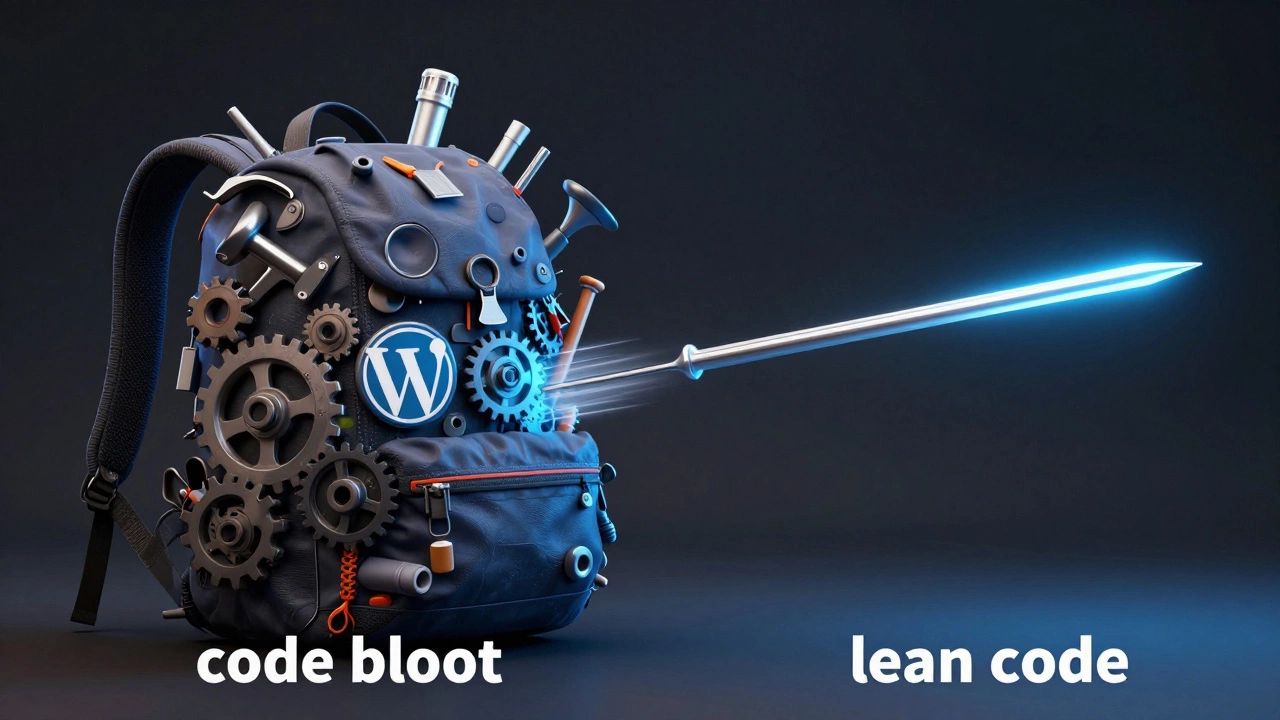
Here is where the conversation flips. If we define "faster" as the time it takes for a page to appear on a screen (PageSpeed), custom coding usually takes the trophy. Why? Because of something called "bloat." WordPress is designed to be everything for everyone. This means it loads a lot of CSS and JavaScript that your specific page might not even need.
When a developer writes a site using HTML5, the standard markup language for documents designed to be stored and displayed on the web, and CSS3, they only include the code necessary for that specific design. There are no unnecessary admin bars, no bulky plugin scripts running in the background, and no generic theme styles that clash with each other. This results in a smaller payload for the browser to download, which makes the site feel snappy.
| Metric | WordPress | Custom Coding (React/Vue/HTML) |
|---|---|---|
| Initial Setup | Minutes | Hours/Days |
| Adding New Pages | Instant (via Dashboard) | Slow (Requires Coding/Deploy) |
| Page Load Time | Variable (Depends on Plugins) | Highly Optimized / Fast |
| Code Efficiency | Moderate (General Purpose) | High (Purpose Built) |
The Plugin Trap and Performance Drag
The real danger to WordPress speed isn't the core software itself; it's the plugins. It's tempting to install a plugin for every tiny feature. Need a popup? Install a plugin. Need a slider? Another plugin. Every one of these adds another request to the server and more scripts for the browser to process. This is where the "speed gap" widens.
A custom-coded site using a Static Site Generator, such as Next.js or Hugo, eliminates this problem entirely. These tools pre-render the HTML at build time. When a user visits the site, the server just sends a finished file. There's no database query and no PHP processing happening on the fly. In a head-to-head race, a static custom site will almost always beat a standard WordPress installation in Time to First Byte (TTFB).
Who Wins the Maintenance Race?
Speed isn't just about loading; it's about how fast you can make changes. If you want to change a headline on a custom-coded site, you have to open your code editor, change the text, commit it to GitHub, and wait for a deployment pipeline to finish. For a developer, that's a five-minute task. For a marketing manager, it's a roadblock that requires a ticket and a waiting period.
WordPress solves this with the Admin Dashboard. The ability to edit content in real-time without touching a single line of code is a massive speed advantage for the people actually running the business. This is why most companies choose CMS options-they trade a few milliseconds of page load speed for hours of saved productivity in their marketing departments.

When to Choose Which Approach?
You should choose WordPress if your primary goal is content delivery. If you're running a blog, a corporate brochure site, or a standard WooCommerce store, the speed of deployment and the ease of editing outweigh the slight performance penalty. You can mitigate the speed issues by using high-quality hosting, implementing Caching, and avoiding "plugin bloat."
On the other hand, if you are building a complex web application-something like a custom SaaS dashboard, a high-frequency trading platform, or a site that needs to handle millions of concurrent users with zero lag-custom coding is the only way. In these cases, the "speed" of the user experience is the product itself. Using a CMS would be like trying to race a Formula 1 car while towing a trailer; it might be possible, but it's not what the tool was made for.
Can WordPress be as fast as a custom-coded site?
Yes, but it takes more work. You can achieve similar speeds by using a "Headless WordPress" setup. This means you use WordPress only for the backend (managing content) and build a custom frontend using a framework like React or Vue. This gives you the editing speed of a CMS and the loading speed of custom code.
Does custom coding make my site more secure?
Not necessarily. While WordPress is a common target for hackers because it's so popular, a custom site can have unique vulnerabilities (bugs) that a developer might overlook. The key is regular updates for WordPress and a rigorous security audit for custom code.
Which is cheaper in the long run?
WordPress is usually cheaper initially. However, as a site grows, the cost of managing a massive list of plugins or paying for specialized WordPress optimization can add up. Custom code has a higher upfront cost but often has lower long-term maintenance costs because there are fewer third-party dependencies to break.
Will using WordPress hurt my SEO?
No. In fact, WordPress is built with SEO in mind. With tools like Yoast or Rank Math, it's actually faster to implement SEO best practices on WordPress than it is to code those features from scratch in a custom environment.
What is the best way to speed up a slow WordPress site?
Start by deleting any plugins you aren't using. Then, implement a caching plugin and switch to a lightweight theme like GeneratePress or Astra. Finally, use a Content Delivery Network (CDN) to serve your images and scripts from servers closer to your users.
Next Steps for Your Project
If you're still undecided, start by mapping out your a-day-in-the-life of your website. If that day involves changing prices, posting three articles a week, and updating a gallery, WordPress is your best bet. The speed of management is your priority.
If your day involves processing complex data, managing custom user permissions for thousands of people, or creating a highly interactive tool, stop looking at CMS options and start looking for a developer who knows their way around a modern JavaScript stack. The runtime speed and flexibility of custom code will save you from a total rebuild two years down the line.