
PHP Request Simulator: How the Backend Works
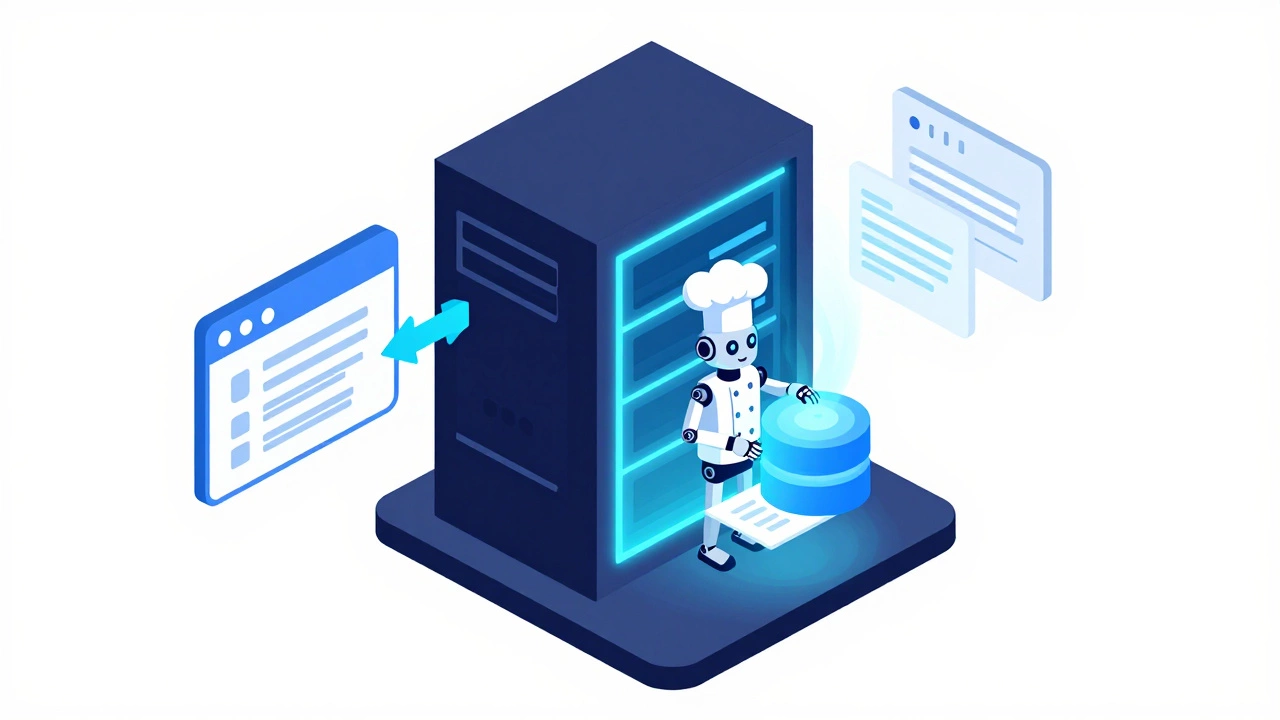
How it works: Click through the steps below to visualize the journey of a web request. Notice how PHP stays hidden in the "Kitchen" (Server) and only sends finished HTML to the "Dining Room" (Browser).
Browser
User clicks a link or submits a form.
HTTP Request
Request travels across the internet to the server.
PHP Engine
Server executes PHP code and queries database.
HTML Response
Browser receives and renders the plain HTML.
Quick Takeaways
- PHP is a server-side scripting language, meaning it is 100% backend.
- It handles database connections, user authentication, and server logic.
- The browser (Chrome, Safari, etc.) cannot read PHP; it only reads the HTML that PHP generates.
- Modern web apps use PHP alongside frontend tools like JavaScript and CSS.
The Core Difference Between Backend and Frontend
To get why PHP is firmly in the backend camp, we need to clear up what these terms actually mean. The frontend, or client-side, is everything that runs inside your web browser. If you can right-click a page and select "View Page Source," you are looking at the frontend. This consists of HTML for structure, CSS for styling, and JavaScript for interactivity. Now, think about a login page. You enter your email and password and hit "Submit." The frontend sends that data to a server. The server doesn't just trust the browser; it needs to check if those credentials match what's in a secure database. This is where PHP backend logic kicks in. It takes the input, queries the database, checks the password hash, and decides whether to let you in or throw an error. The browser never sees this process; it only receives the final answer (e.g., a "Welcome" page or an "Incorrect Password" message).How PHP Actually Works Under the Hood
PHP, which stands for Hypertext Preprocessor, is a server-side scripting language. This means the code is executed on the web server before it ever reaches the user. Here is the play-by-play of a PHP request:- You click a link or submit a form.
- Your browser sends a request to the server (like an Apache or Nginx server).
- The server sees a file ending in .php and hands it over to the PHP engine.
- The PHP engine runs the code, perhaps pulling data from a MySQL database.
- The PHP engine converts the result into plain HTML.
- The server sends that HTML back to your browser.
PHP and the Database Relationship
One of the biggest reasons PHP is used for backend development is its native ability to talk to databases. While a frontend language like JavaScript can't directly connect to a database for security reasons (imagine if anyone could just read your database password from the browser source code!), PHP lives in a secure environment where it can manage data safely. For example, consider an e-commerce site. When you filter products by "Price: Low to High," the frontend sends that request to the backend. PHP then writes a query to the database, sorts the thousands of items in a fraction of a second, and sends back only the specific products that match your filter. This separation of concerns keeps the site fast and the data secure.| Feature | PHP (Backend) | JavaScript (Frontend) |
|---|---|---|
| Execution Location | Web Server | User's Browser |
| Visibility | Hidden from user | Visible in Page Source |
| Primary Goal | Data processing & Logic | User Interface & Interaction |
| Database Access | Direct and Secure | Indirect (via API) |
| Typical Use Case | User Accounts, Payments | Animations, Form Validation |
Common PHP Frameworks That Power the Backend
Writing raw PHP (often called "vanilla PHP") is great for learning, but professional developers usually use PHP Frameworks. These are sets of pre-written code and tools that make building complex backends faster and more secure. Laravel is currently the most popular choice. It provides a clean structure and built-in tools for things like routing and authentication, so developers don't have to reinvent the wheel every time they build a new app. Another heavy hitter is Symfony, which is often used for very large, enterprise-level projects because of its stability and modularity. These frameworks typically follow the MVC (Model-View-Controller) pattern. The "Model" handles the data (backend), the "View" is the HTML page the user sees (frontend), and the "Controller" is the PHP logic that connects the two. This structure is exactly why people get confused-PHP is the engine that *creates* the frontend view, even though it remains strictly on the backend.The Role of PHP in Modern CMS Like WordPress
If you've used WordPress, you've used PHP. WordPress is essentially a massive PHP application. When you log into the dashboard and change a setting or write a post, you're interacting with a PHP backend. When a visitor lands on a WordPress site, the server doesn't just send a static file. Instead, PHP looks at the URL, finds the correct post in the MySQL database, wraps it in a theme's HTML, and serves it to the visitor. This dynamic nature is what makes a CMS (Content Management System) possible. Without a backend language like PHP, every single page of a website would have to be written by hand in HTML, making a site with 1,000 blog posts an absolute nightmare to maintain.
Can PHP Ever Be Frontend?
Technically, no. By definition, a language that executes on the server is backend. However, there is a common point of confusion: PHP can *generate* frontend code. Because PHP can echo strings of text, it can output HTML tags directly into the browser. You might see a file that looks like a mix of both: ``. In this example, the PHP tag is doing the work on the server, but the `` tag is what the user actually sees.
In the modern era, many developers are moving toward a "decoupled" architecture. They use PHP (via Laravel or Symfony) solely as an API-a data delivery service-and use a dedicated frontend framework like React or Vue.js to handle the visuals. In this setup, the line between backend and frontend is even sharper: PHP handles the data, and JavaScript handles the display.
Why Choose PHP for Your Backend?
Despite the rise of Node.js and Python, PHP remains a powerhouse. First, the hosting is incredibly cheap and available everywhere. Almost every server on the planet supports PHP out of the box. Second, the community is massive. If you run into a bug, someone has already solved it on a forum somewhere.
Moreover, PHP 8.x has introduced significant performance improvements, such as the JIT (Just-In-Time) compiler, making it much faster than the old versions from a decade ago. Whether you're building a simple contact form or a complex social network, PHP provides a reliable, scalable way to handle the "heavy lifting" of your application.
If PHP is backend, why can I see it in some tutorials as being mixed with HTML?
PHP is designed to be embedded within HTML. While the PHP code itself runs on the server and is never seen by the user, its purpose is often to generate the HTML that the user eventually sees. This "mixing" happens in the source file, but the execution is strictly server-side.
Can I learn PHP without knowing HTML?
You can learn the logic of PHP (variables, loops, functions) without HTML, but you'll struggle to build anything useful. Since PHP's primary job is to generate web pages, knowing basic HTML is essential so you have a way to display the data your PHP code processes.
Is PHP still relevant in 2026?
Yes. Because it powers a huge portion of the web (including WordPress and many legacy enterprise systems), there is a constant demand for PHP developers. Modern versions of PHP are fast, secure, and highly efficient.
What is the difference between PHP and JavaScript?
PHP is primarily a backend language that runs on the server. JavaScript was originally created as a frontend language to run in the browser. While Node.js now allows JavaScript to run on the backend, PHP remains a dedicated server-side tool focused on web request-response cycles.
Do I need a special program to run PHP on my computer?
Yes. Since browsers can't execute PHP, you need a local server environment. Popular tools like XAMPP or MAMP bundle Apache (the server), MySQL (the database), and PHP together so you can develop and test your site locally before uploading it to a live host.
Next Steps for Beginners
If you're just starting out and want to get into backend development, don't try to learn everything at once. Start by mastering the basics of HTML and CSS so you understand how pages are structured. Once you can build a static page, install a local server like XAMPP and try writing your first PHP script to handle a simple form submission.
From there, move into learning how to connect your code to a MySQL database. Once you're comfortable with that, explore a framework like Laravel. This path moves you from the frontend (visuals) to the backend (logic and data), giving you the skills to build a full-stack application from scratch. If you're troubleshooting a site and the page is blank or showing a "500 Internal Server Error," remember that's almost always a backend issue-check your PHP error logs first!
If PHP is backend, why can I see it in some tutorials as being mixed with HTML?
PHP is designed to be embedded within HTML. While the PHP code itself runs on the server and is never seen by the user, its purpose is often to generate the HTML that the user eventually sees. This "mixing" happens in the source file, but the execution is strictly server-side.
Can I learn PHP without knowing HTML?
You can learn the logic of PHP (variables, loops, functions) without HTML, but you'll struggle to build anything useful. Since PHP's primary job is to generate web pages, knowing basic HTML is essential so you have a way to display the data your PHP code processes.
Is PHP still relevant in 2026?
Yes. Because it powers a huge portion of the web (including WordPress and many legacy enterprise systems), there is a constant demand for PHP developers. Modern versions of PHP are fast, secure, and highly efficient.
What is the difference between PHP and JavaScript?
PHP is primarily a backend language that runs on the server. JavaScript was originally created as a frontend language to run in the browser. While Node.js now allows JavaScript to run on the backend, PHP remains a dedicated server-side tool focused on web request-response cycles.
Do I need a special program to run PHP on my computer?
Yes. Since browsers can't execute PHP, you need a local server environment. Popular tools like XAMPP or MAMP bundle Apache (the server), MySQL (the database), and PHP together so you can develop and test your site locally before uploading it to a live host.